
ProjectsOctober 26, 2026

Graphite: A Black Slate and Nothing in Between

image
I've tried every second brain there is. Notion was first. Databases, templates, linked views, a dashboard for my dashboards. It looked incredible, and somewhere along the way I stopped writing in it and started maintaining it. A second brain that needs a first brain to run it full time isn't a brain. It's a job. Then Obsidian. I loved it for a while. The graph view is beautiful the first week, all those little dots finding each other. Give it a few months and it's a hairball you never open, and the vault quietly goes stale. And for every other Markdown file, the READMEs, the drafts, the notes for a talk, I ended up in VS Code. Which is great for code. Writing an essay in it feels like doing your homework inside a cockpit. None of them were built for the part I actually care about. My best writing happens late. Lights low, headphones on, everyone else asleep. That's when the quiet zen mode version of me shows up, the one that can sit with a single thought for an hour. That version of me needs almost nothing. Just me and a black slate, and nothing in between. No sidebar of forty pages I haven't touched. No sync spinner. No notification that a template got updated. I couldn't find that app. So I did what I always do when something useful doesn't exist yet. I built it.
"A pencil doesn't phone home, and neither should a writing app."
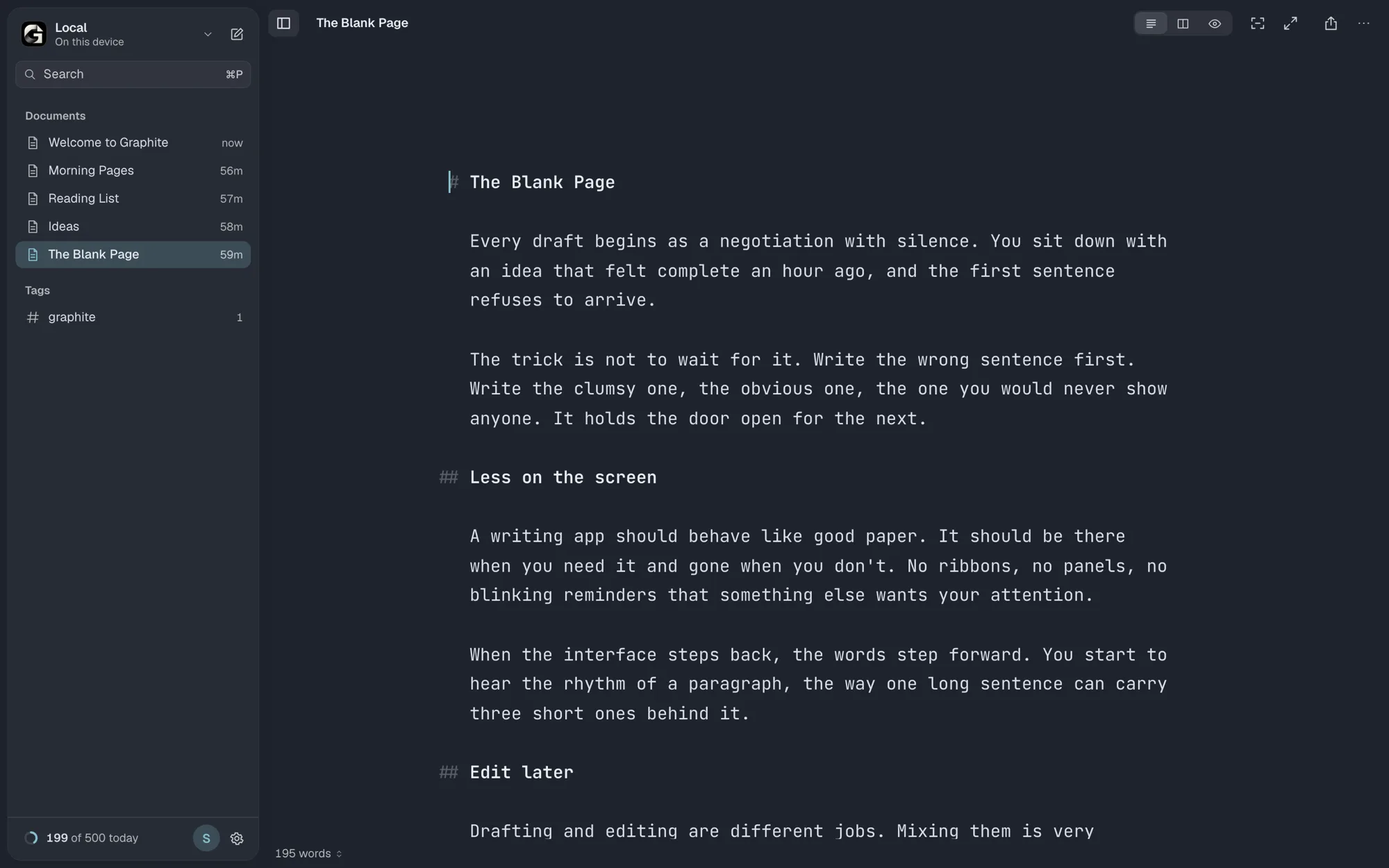
Graphite is a focused Markdown writing app that runs in your browser, works offline and needs no account. Open it at write.aroice.in and you're writing. Install it and it sits in your dock like any other app.
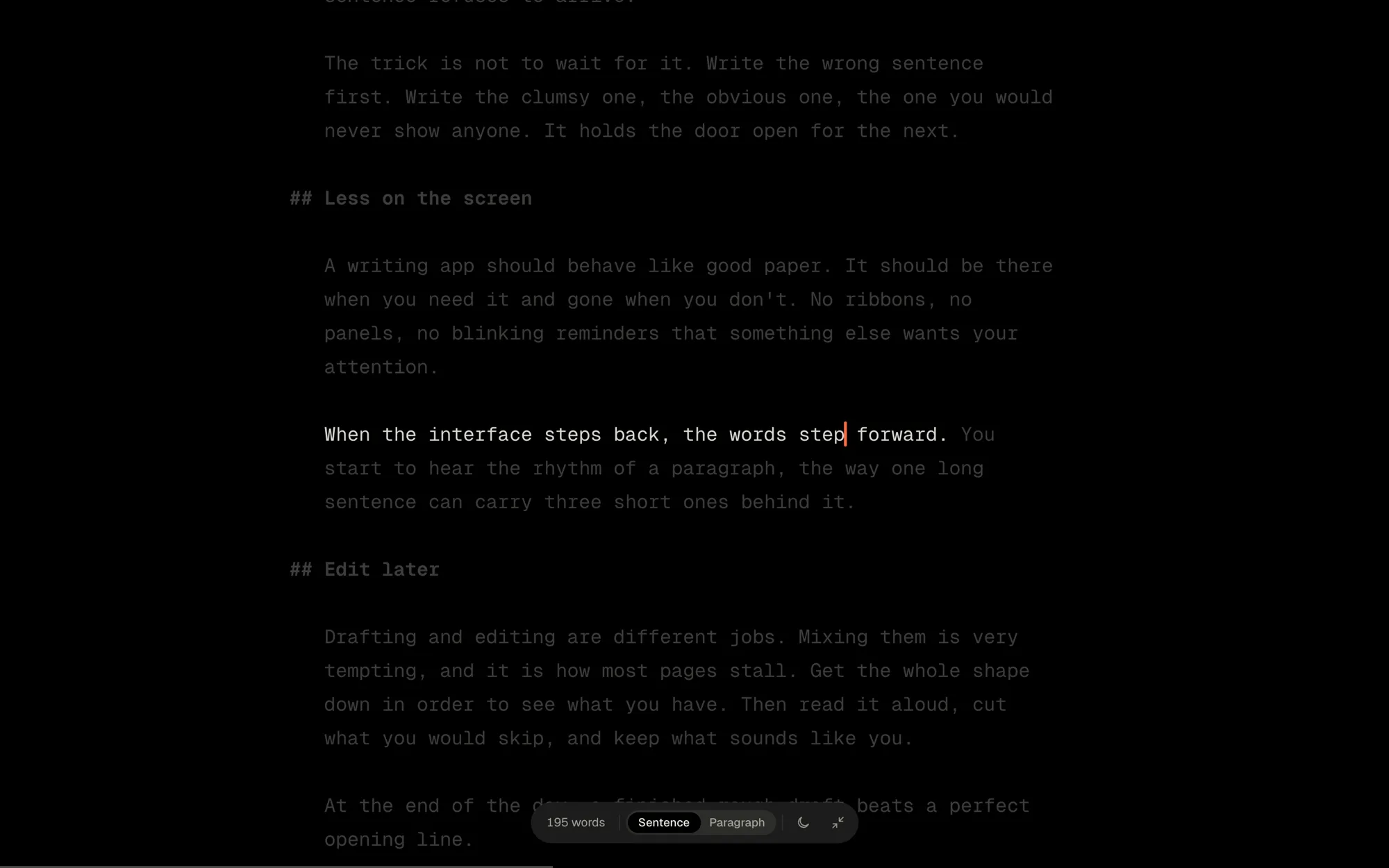
When you start typing, the interface steps back. The library slides away, the toolbar fades, and the sentence you're on is the brightest thing on the screen. The three modes I use every night:
  • Focus (⌘D): dims everything except the current sentence, or the paragraph if you want a little more context
  • Typewriter (⌥⌘T): keeps your line in the middle of the screen while the page moves past it
  • Zen (⇧⌘F): full screen, Focus and Typewriter together, and nothing else. Move the mouse and the controls come back
That's the black slate. Everything else in the app exists to protect it.
Graphite in Zen mode: a black full-screen page where only the sentence being written is bright and everything else is dimmed
This was the non-negotiable for me. Every document is a plain Markdown file. You choose where it lives the first time you open Graphite:
  • On this device: private, offline, in your browser, no account at all
  • A folder on your computer: in Chrome, Edge or Arc, Graphite writes straight into real .md files on your disk
  • Your own Google Drive: sign in once and your writing syncs across devices. Graphite can only see the files it created
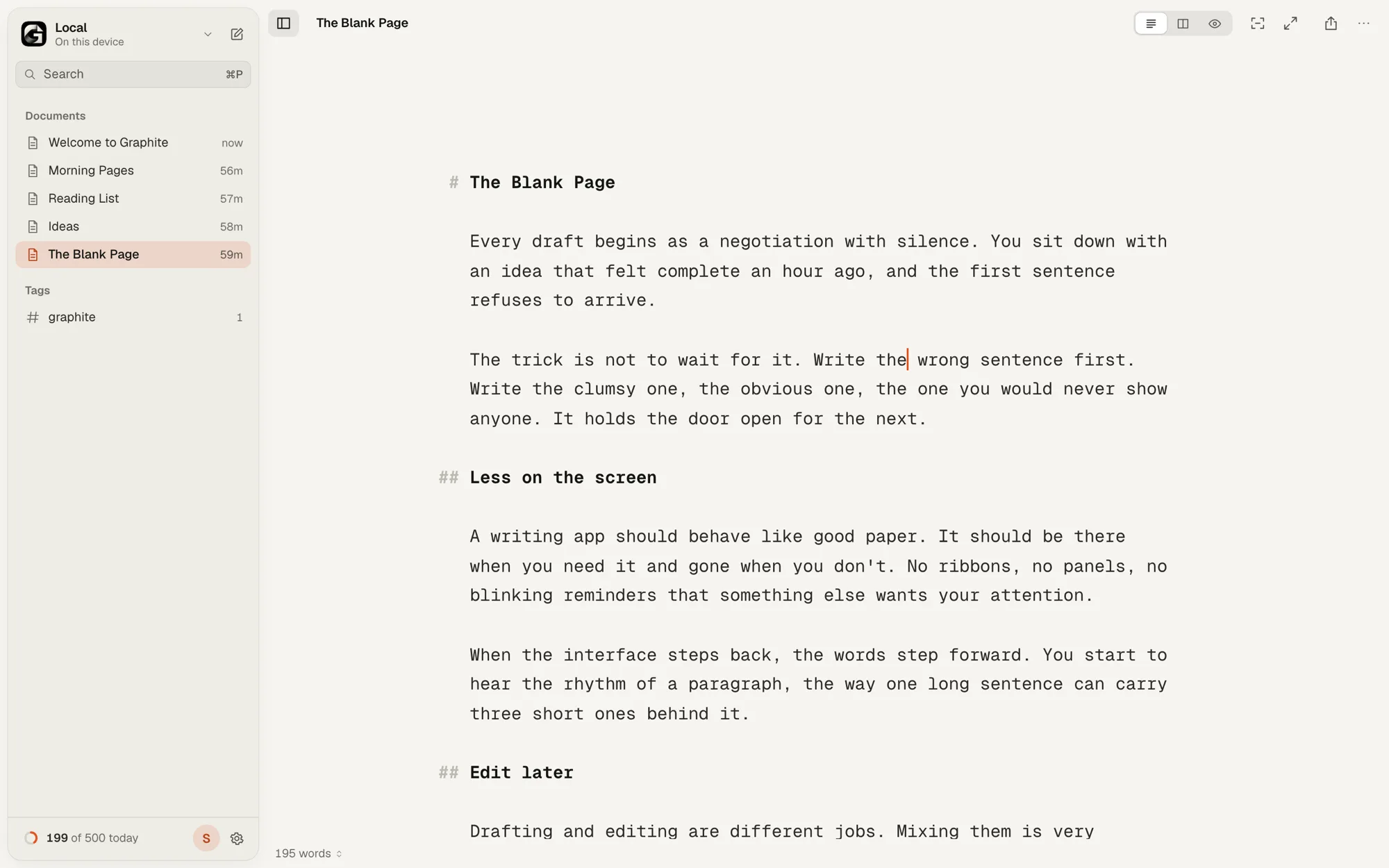
The Graphite editor in its light Paper theme, with the document library in the sidebar and plain Markdown on the page
Graphite's servers never receive your writing. Any text editor can open those files today, or in twenty years. If Graphite disappeared tomorrow, your words wouldn't. And because a writing app has exactly one job before all the others, which is don't lose anything, the safety net is free for everyone. Autosave with no Save button to forget. No silent overwrites when two tabs disagree. Crash recovery. Thirty days in Recently Deleted. Version History you can compare word by word. A one-click backup of your whole library as a zip of Markdown. Once the quiet part worked, I kept adding the things I kept wishing for while writing these essays and my talks.
  • [[Links]] and pages inside pages: link one document to another, see what links back, and nest pages as deep as you like. Still plain files on disk
  • Word targets and deadlines: "1,240 of 2,000", and how many words a day you need to make the date
  • Manuscripts: turn a folder into chapters, drag them into order, read them as one piece
  • Paste as Markdown: copy from a web page, Google Docs or Word and it lands as clean Markdown, without the junk
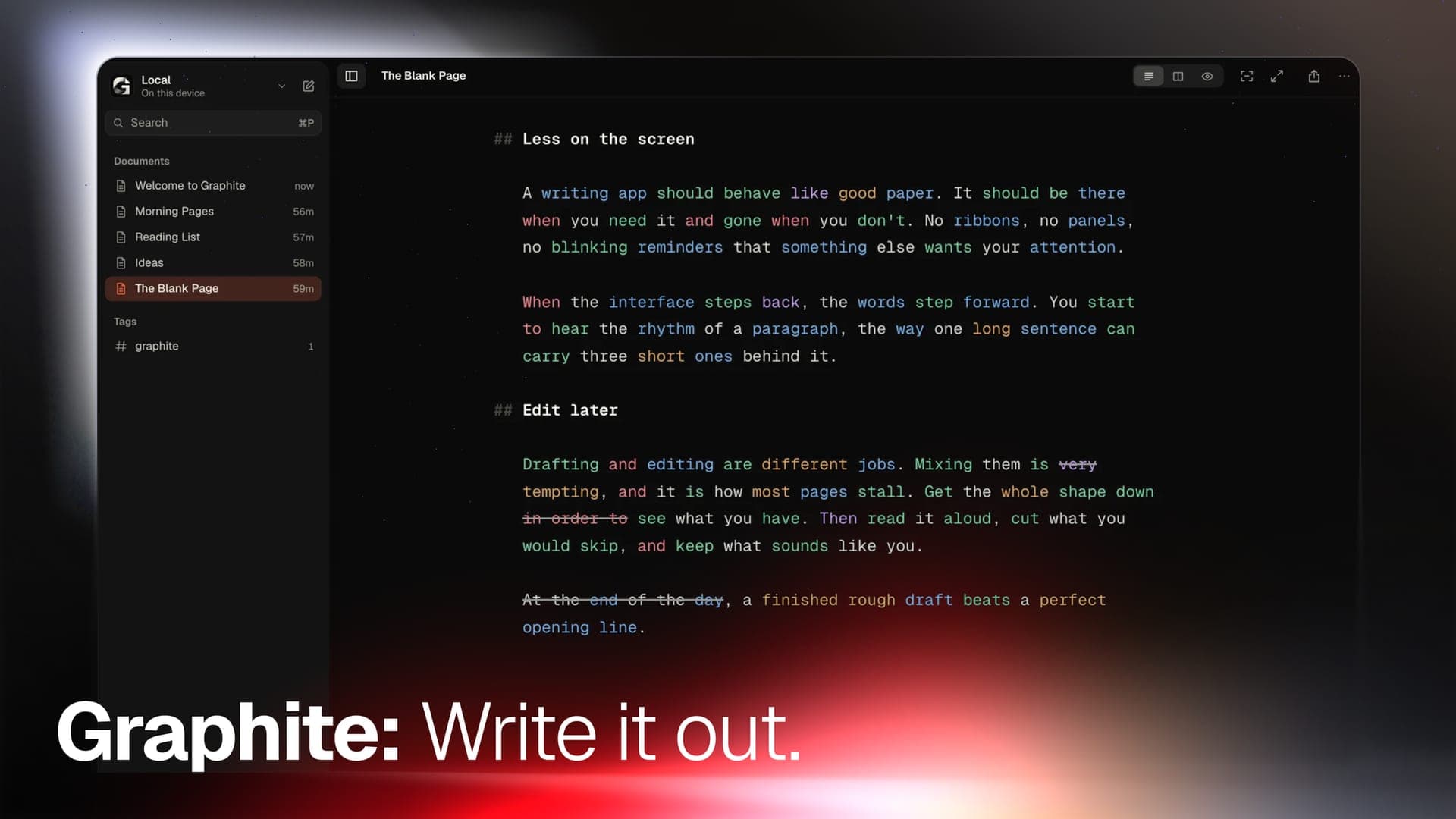
  • Style Check and Syntax Highlight (Pro): flag filler, clichés and repetition, and color the parts of speech so you can see how a sentence is built. That's what you're looking at in the cover above. Neither one ever rewrites a word.
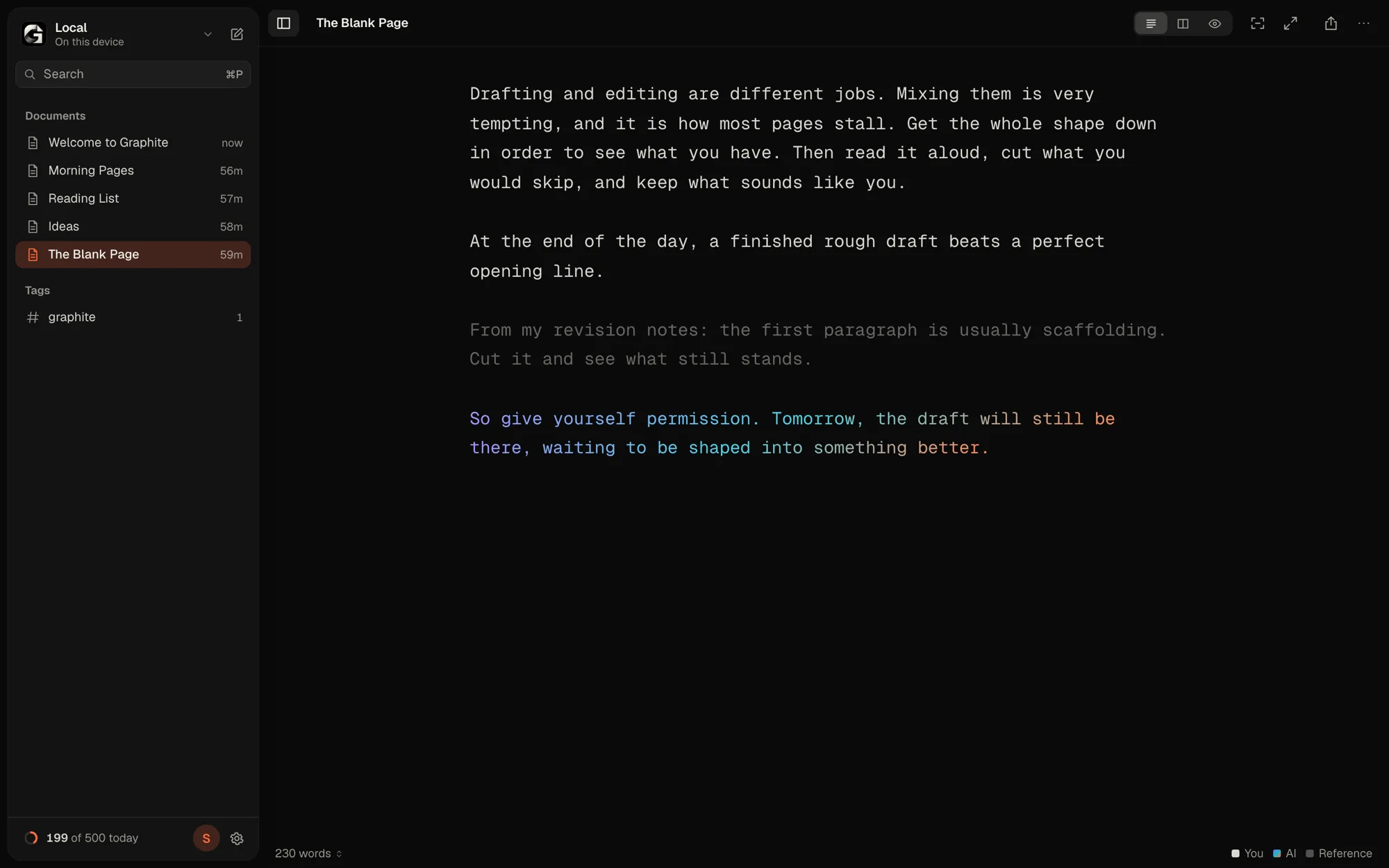
  • Authorship (Pro): an honest record of what you typed versus what you pasted or got from AI. Words you didn't type don't count toward your streak
That last one matters to me more than it probably should. Help, not ghostwriting. I want a tool that makes me a better writer, not one that quietly writes for me.
Graphite's Authorship view, marking which passages were typed, pasted from a reference or written with AI
Every AROICE project starts the same way. I build the thing I need, use it until it stops annoying me, and then share it, because what's useful to me is probably useful to someone else out there. Ashes started as a memento mori new tab I wanted for myself. Graphite started as the black slate I wanted at 2 AM. Under the hood:
  • A progressive web app, so it installs on desktop and phone and runs fully offline
  • The editor is built on CodeMirror 6, with Markdown markers hanging in the margin so the text keeps one clean edge
  • Style Check and part-of-speech tagging run in a Web Worker, on your own device
  • Every theme meets WCAG AA contrast, everything works from the keyboard, and motion stays off when you ask for less of it
Writing, saving, backups and recovery are free, and always will be. Graphite Pro adds the colour themes, extra typefaces, export styles and the editing tools like Style Check and Authorship. Take it as a membership, monthly or yearly, or pay once for Pro Lifetime and keep it forever. No ads, no data to sell. That's the whole business model.
Graphite in the Fjord theme, one of the Pro colour themes, with a deep blue background and monospace type
Think about the last time you sat down to write something that mattered to you. How much of that hour went to the words, and how much went to the tool? Open write.aroice.in, turn on Zen and write one paragraph. No account, nothing to install. Then tell me what the quiet felt like.
"Clear tools for a clear mind."
—Aryan Techie
Share this post: